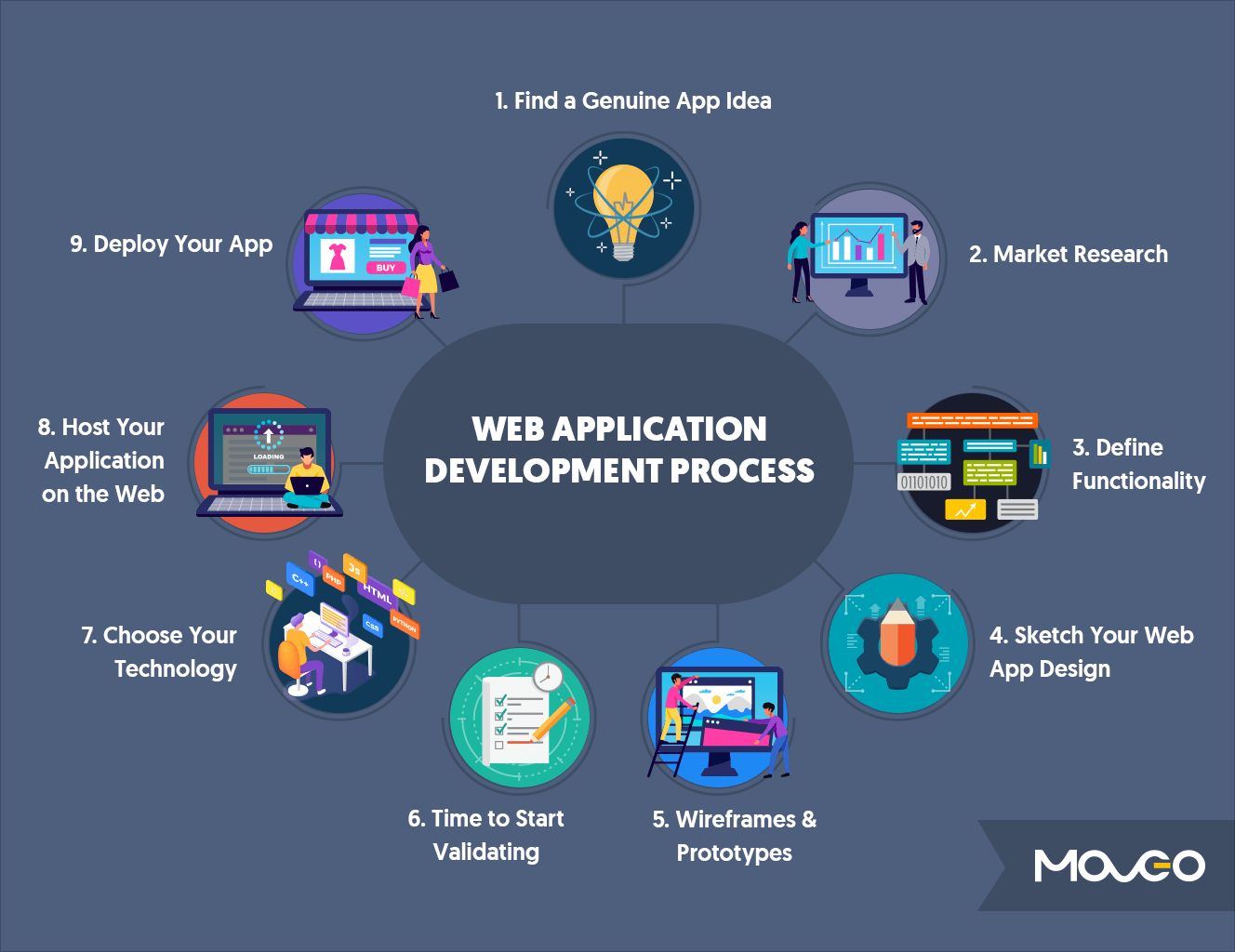
Web Application Development
Web application development is the process of creating interactive applications that are hosted on web servers and accessed through web browsers. Unlike traditional desktop applications, web applications run on remote servers and are accessible via the internet or intranet, making them versatile and convenient for users.
Key Components of Web Application Development
Frontend Development:
- Definition: The frontend refers to the user interface (UI) and user experience (UX) components of a web application. It is everything that users see and interact with in their web browsers.
- Technologies:
- HTML (HyperText Markup Language): The standard markup language used to create the structure of web pages.
- CSS (Cascading Style Sheets): Used for styling the visual presentation of the web pages.
- JavaScript: A scripting language that enables dynamic content and interactive features. It allows developers to implement complex features like animations, form validations, and real-time updates.
- Frontend Frameworks: Libraries such as React, Angular, and Vue.js help streamline the development of complex user interfaces.
Backend Development:
- Definition: The backend refers to the server-side of the application, responsible for business logic, database interactions, and application security.
- Technologies:
- Server-Side Languages: Languages such as PHP, Python, Ruby, Node.js, and Java are commonly used to build the backend of web applications.
- Databases: Systems like MySQL, PostgreSQL, MongoDB, and Firebase manage data storage and retrieval.
- Frameworks: Backend frameworks like Laravel (for PHP), Django (for Python), and Express.js (for Node.js) simplify the development process by providing pre-built modules and conventions.
Database Management:
- Definition: Databases store application data, including user information, content, and configuration settings.
- Types:
- Relational Databases: Store data in structured tables and are accessed using SQL (Structured Query Language). Examples include MySQL and PostgreSQL.
- NoSQL Databases: Handle unstructured data and provide flexibility in data storage. Examples include MongoDB and Firebase.
API Integration:
- Definition: Application Programming Interfaces (APIs) allow web applications to communicate with other services, enabling data exchange and functionality extension.
- Types:
- REST (Representational State Transfer): A common architectural style that allows for interaction with web services over HTTP.
- GraphQL: A query language for APIs that enables clients to request only the data they need, improving efficiency.
Development Methodologies
Agile Development:
- Focuses on iterative development, allowing for frequent reassessment and adaptation of plans.
- Involves collaboration between cross-functional teams and stakeholders.
Waterfall Development:
- A linear approach where each phase must be completed before the next begins.
- Best suited for projects with well-defined requirements and little expected change.
DevOps:
- Combines development and operations to improve collaboration and productivity.
- Encourages automation of processes such as testing, deployment, and monitoring.
Development Process
Planning:
- Define project goals, target audience, and technical requirements.
- Create a project timeline, budget, and resource allocation.
Design:
- Develop wireframes and prototypes for the UI/UX design.
- Ensure the design is user-centric and meets accessibility standards.
Development:
- Frontend developers create the client-side code, while backend developers build the server-side logic.
- Set up the database and configure server environments.
Testing:
- Conduct various testing types (unit testing, integration testing, performance testing, and user acceptance testing) to ensure quality and performance.
- Identify and fix bugs or issues before deployment.
Deployment:
- Launch the web application on a server or cloud platform.
- Configure domain names, SSL certificates, and server settings.
Maintenance:
- Monitor the application for issues and performance.
- Implement regular updates, feature enhancements, and security patches.
Benefits of Web Application Development
- Accessibility: Users can access web applications from any device with an internet connection.
- Cost-Effectiveness: Reduces development costs by utilizing shared resources and infrastructure.
- Scalability: Easily accommodates growing user demand and application complexity.
- Centralized Updates: Simplifies updates and maintenance since changes are applied to a single codebase.
Conclusion
Web application development is a vital part of today’s digital landscape, enabling businesses and individuals to create dynamic and engaging online experiences. By leveraging modern technologies and methodologies, developers can build scalable and user-friendly applications that meet the needs of diverse users.
working Web Application Development Process
1. Planning & Requirement Gathering
- Objective: Understand the product goals, user needs, and technical requirements.
- Activities:
- Meet with stakeholders to define business objectives and user expectations.
- Gather functional and non-functional requirements (features, performance, security, etc.).
- Gather functional and non-functional requirements (features, performance, security, etc.).
- Define timelines, budgets, and resources.
- Outcome:
- A well-defined project scope with a development roadmap and timeline.
2. Design Phase
This phase focuses on the user experience and interface design.
- Activities:
- Wireframes: Create low-fidelity layouts focusing on functionality and structure.
- Prototypes: Develop interactive prototypes to simulate user interactions.
- UI/UX Design: Finalize high-fidelity designs, applying branding and aesthetics.
- Tools: Figma, Adobe XD, Sketch
- Outcome:
- Approved design mockups and prototypes ready for development.
3. Development Phase
The product is coded and developed in this phase.
- Activities:
- Frontend Development: Develop the user interface using HTML, CSS, JavaScript, React,Vue, etc.
- Backend Development: Build the server-side logic and APIs using frameworks (Laravel).
- Database Management: Set up and manage databases (MySQL).
- Version Control: Use Git for tracking changes and collaboration.
- Agile/Scrum Methodologies: Implement sprints to divide the project into manageable tasks.
- Outcome:
- Functional product with frontend, backend, and database integrations in place.
4. Testing & Quality Assurance (QA)
Testing ensures the product is free from bugs and meets the requirements.
- Activities:
- Unit Testing: Test individual components or functions.
- Integration Testing: Ensure that different modules work together smoothly.
- User Acceptance Testing (UAT): Test with end-users to validate functionality. (MySQL).
- Performance Testing: Check speed, scalability, and load handling.
- Outcome:
- Identified and resolved bugs, and the product is validated for launch.
5. Deployment
The product is released to a live environment where users can access it.
- Activities:
- Set up servers, domains, and cloud infrastructure (AWS, Azure, or DigitalOcean).
- Deploy the code to production environments.
- Run final tests on the production server to ensure everything works smoothly.
- Outcome:
- The product is live and accessible to users.
6. Maintenance & Support
After deployment, continuous monitoring and updates are needed.
- Activities:
- Bug Fixes: Monitor for issues reported by users or through logs.
- Updates & Enhancements: Add new features or improve existing functionality.
- Performance Monitoring: Ensure uptime, speed, and reliability.
- Technical Support: Assist users with any issues they face.
- Outcome:
- Product remains functional, updated, and aligned with evolving user needs.